LOADING PROCESS
We can handle the loading of Work Orders (explained earlier in this manual, it is about providing necessary components) and the loading of sales orders:

- Loading based on completion percentage, service date, and daily warehouse capacity.
- Alternative warehouse routes to retrieve out-of-stock items.
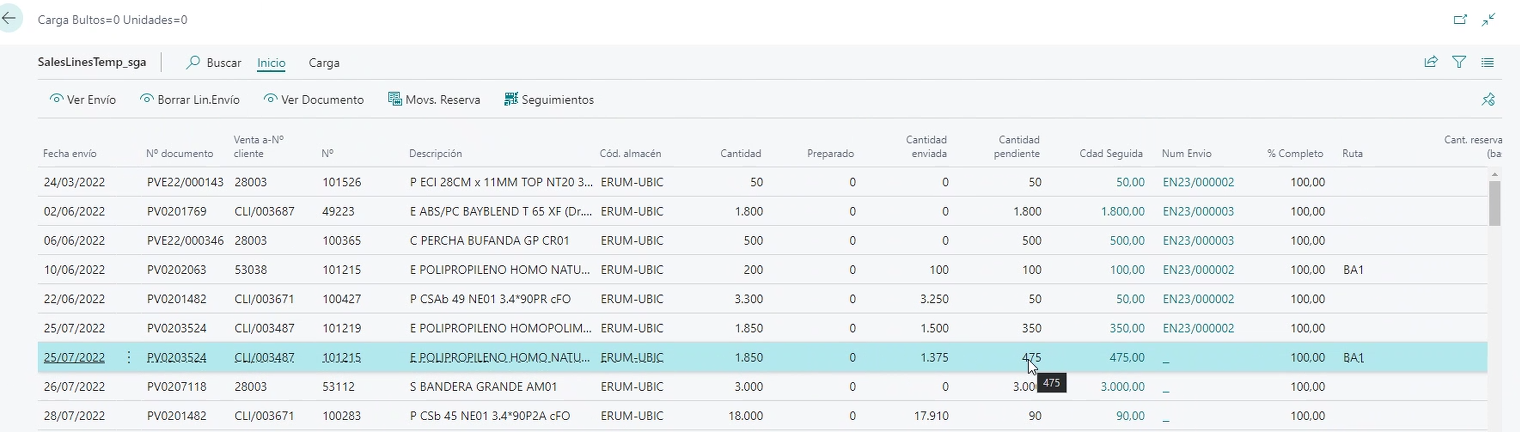

You select lines that you want to add to the load (Shipment not yet launched). Custom stock tracking to "distribute" according to priorities. Daily warehouse load capacity.
Routes for Order Completion: Quick routes for completing orders without the need to launch warehouse transfers from the Planning Sheet.
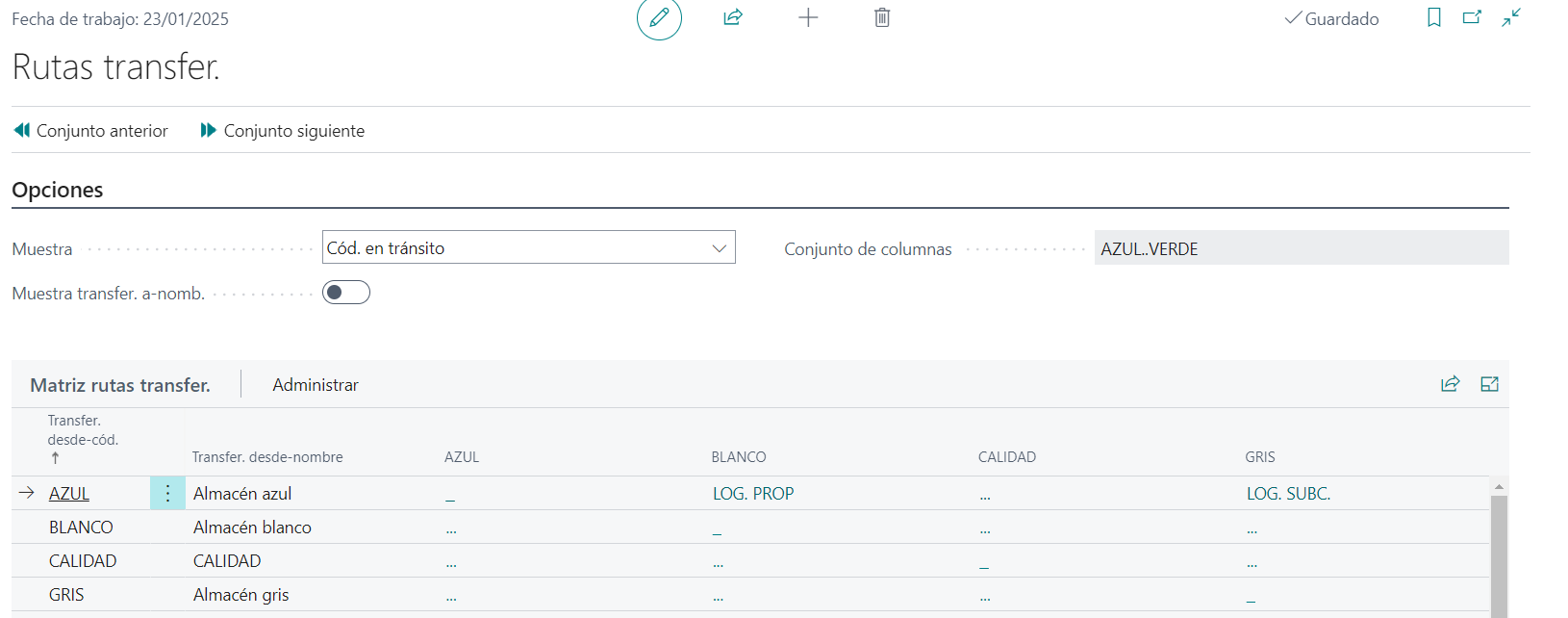
Example of completing the order by searching another route to achieve 100%:

Shipments can be order-specific or grouped.
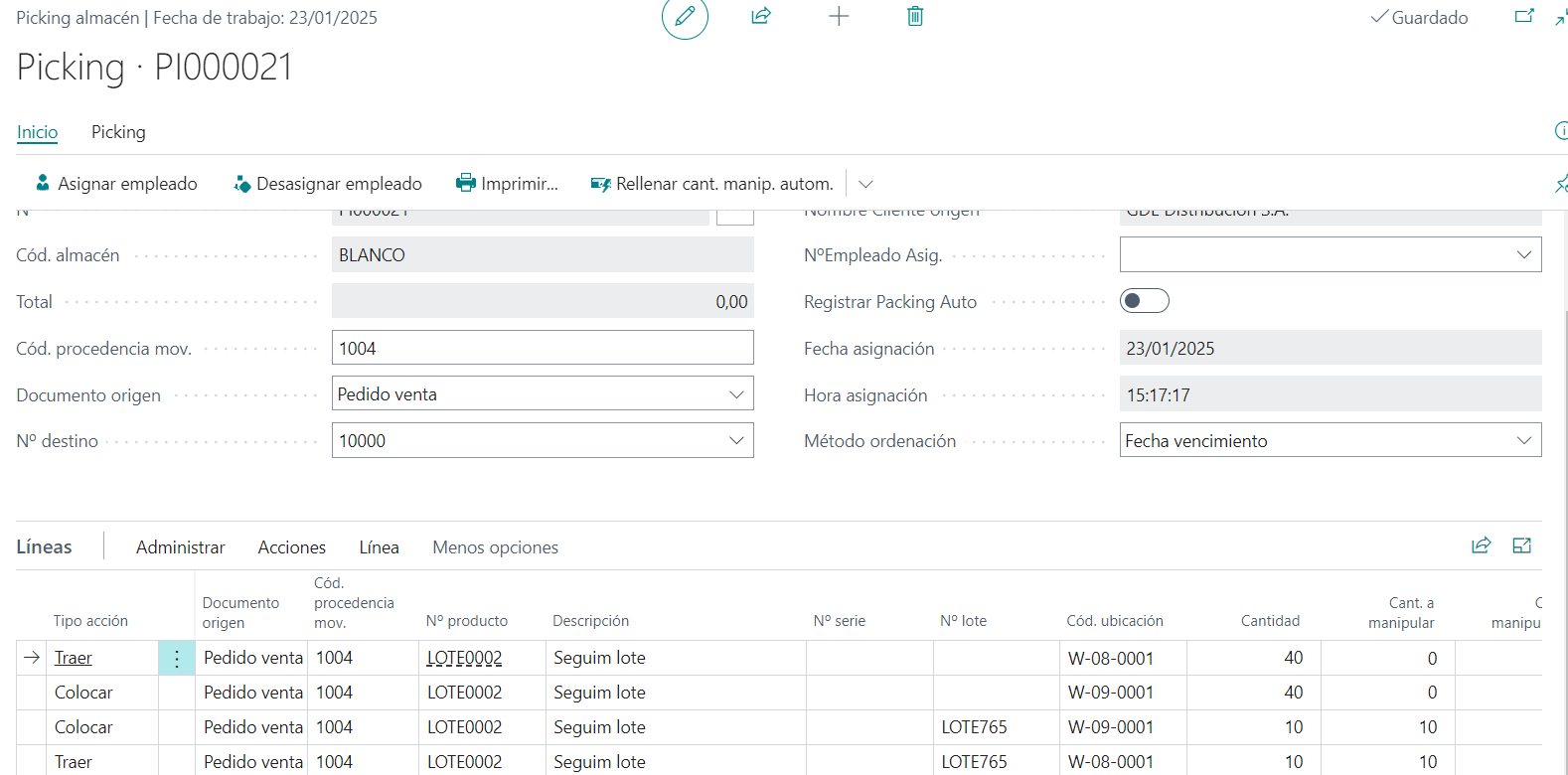
Picking: In this example, we see the first line missing 40 units to be read and the second line where 10 units from lot LOT765 have already been read:
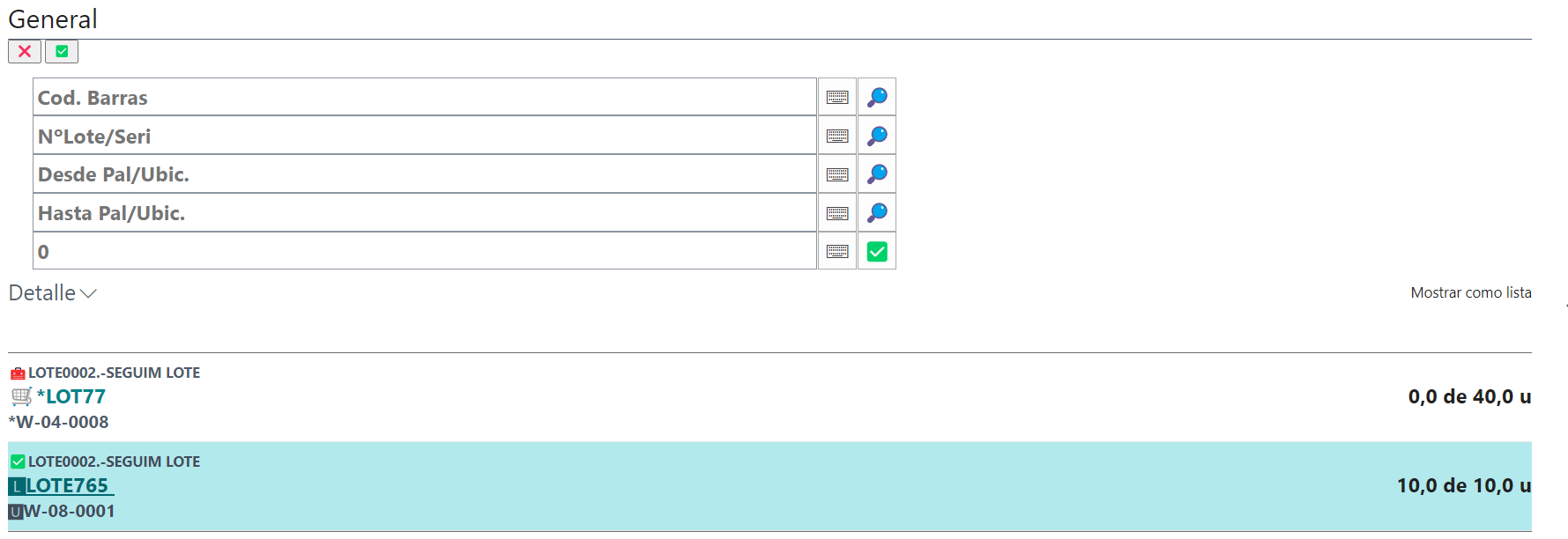
From the desktop screen, we see that what we've read has the quantity filled: