Registering Component Consumption
Description
There are two ways to consume components:
- Manual: By entering the lot/serial number if it requires tracking.
- Automatic: By searching for the FIFO lot/serial number to consume.
Manual Consumption
From the machine handling screen, select REWORK:
 and in the opened menu:
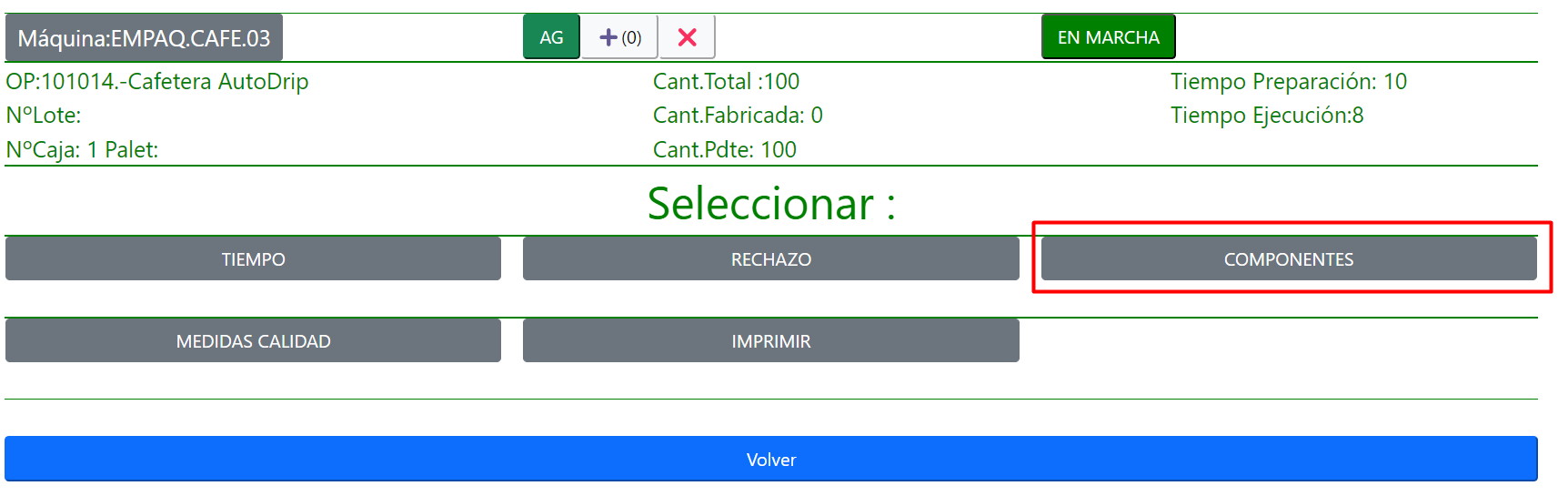 the screen for manual component consumption will appear:
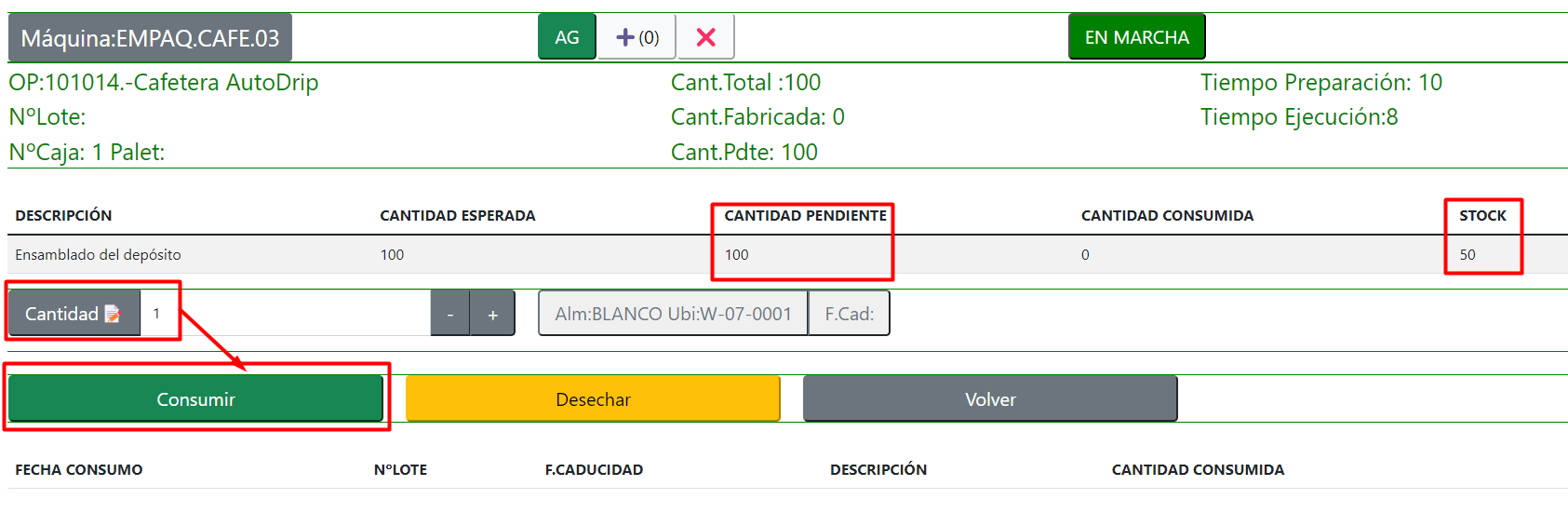
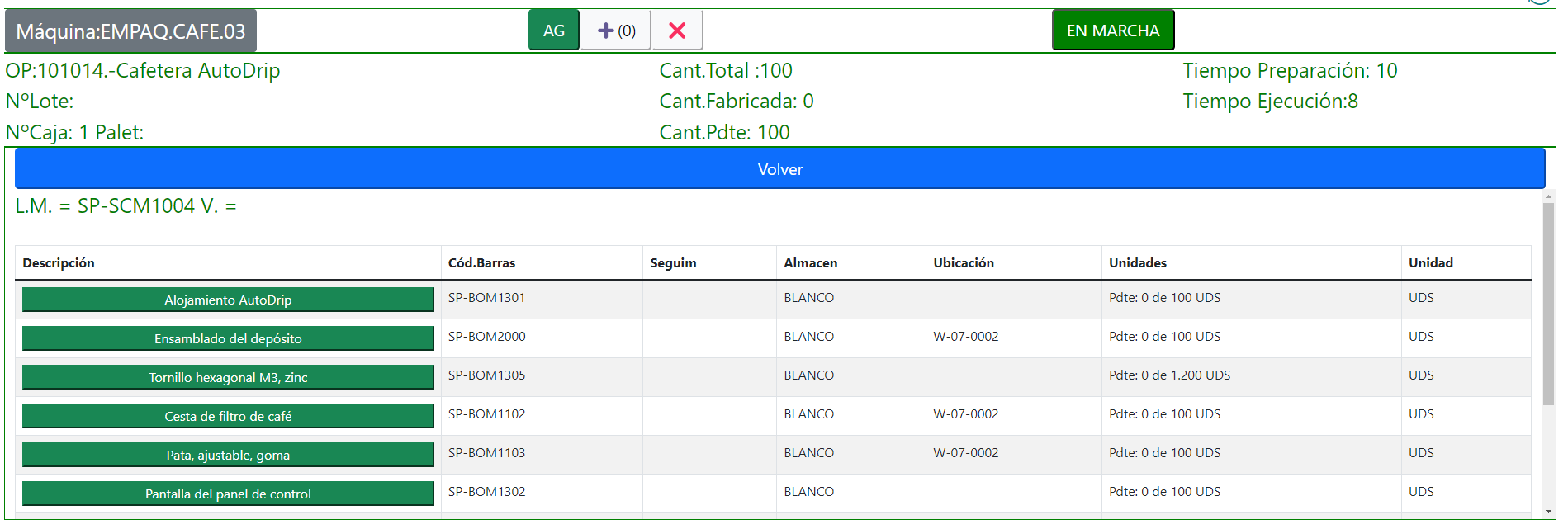 Navigate to the consumption screen where the quantity to be consumed needs to be entered:
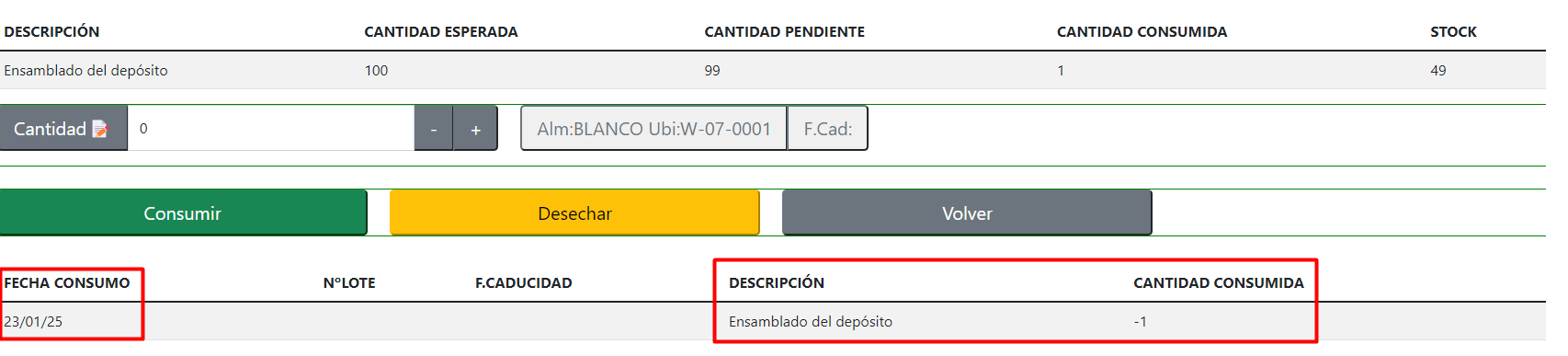
View the result of the consumption performed:
In case the product has a lot/serial number, a button will appear to select the lot/serial number for consumption.
If the product has a Lot/Serial, a prompt will request this information, otherwise, it won't ask:

There are two possible actions:
- CONSUME: This will create a component consumption for that production order, attributing the cost accordingly.
- DISPOSE: This action will transfer the component to the configured scrap warehouse, where the company's quality control protocol will be applied: inspection, removal of that stock...
Here's an example of the corresponding transfer movement for discarding 1 unit:

And the corresponding Warehouse Movements:

Manual Consumption Validation
In the Shopfloor setup, you can require users to consume components with Manual flushing, or at least confirm the quantity before posting the output:
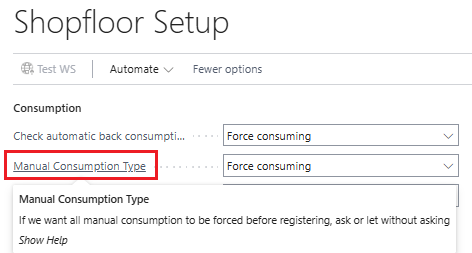
Options:
Do Not Check
Shopfloor does not require any manual consumption.Warn About Missing Consumptions
A confirmation is required before posting if any manual component has not been consumed.Require Consumption
Posting is blocked until all manual-flushed components have been consumed.
Manual Consumption Validation Type
When the manual consumption type is different from "Do Not Check", you can define how the system validates manual consumption.
This determines whether the consumption must be complete (allowing over-consumption) or whether a deviation percentage is allowed for each component (both under- and over-consumption).
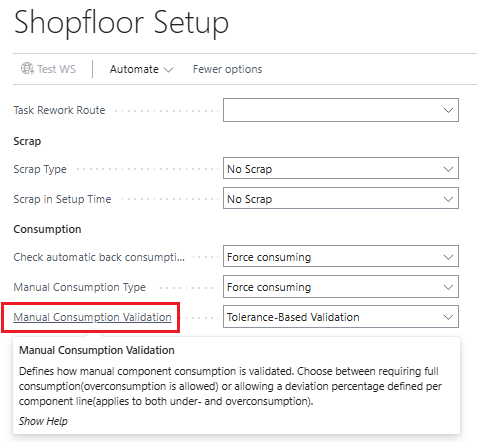
Options:
Require Full Consumption
The manual consumption must be equal to or greater than the expected quantity.
Example: Expected consumption = 10 units
- If 10 units or more are consumed → OK
- If less than 10 units are consumed → posting is blocked or a confirmation is required (depending on configuration)
Tolerance-Based Validation
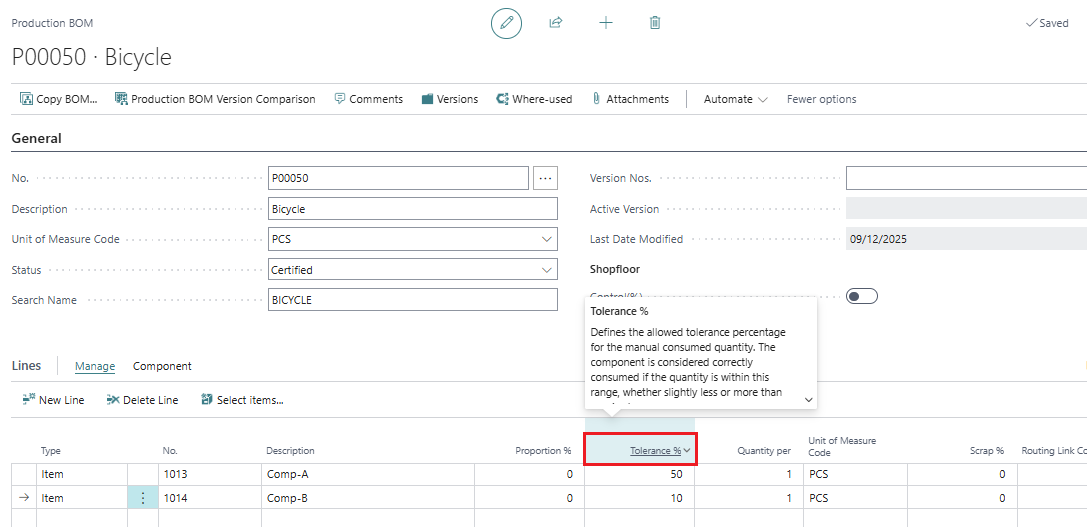
A deviation percentage is defined on the production BOM component line.
This value is inherited from the Production BOM.Example: Expected consumption = 10 units
Deviation = ±20% → allowed range = 8 to 12 units- Consuming 9 units → valid
- Consuming 13 units → posting is blocked or a confirmation is required (depending on configuration)
Deviation % in the Production BOM
Deviation % in the Production Order Components

Calculate Deviation % When Creating the Production Order from the Planning Worksheet
When calculating the Planning Worksheet, component lines inherit the deviation percentages defined in the Production BOM:

Therefore, when the Production Order is created from the planning process, the deviation values are transferred to its components, ensuring consistency between planning and the execution of manual consumption.
Automatic Consumption
If the item is configured for Backward Flushing (automatic consumption):
- The system will search for lot/serial numbers using FIFO (or the item directly if no tracking is required) in the component’s location.
- Consumption will be performed automatically following FIFO, either by lot/serial or by item.
For more information:
Registering Component Consumption
Automatic Consumption Validation
As with manual consumption, you can require or validate automatic consumption before posting the output:
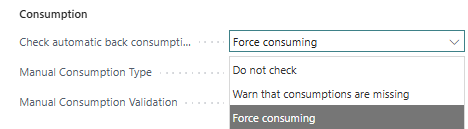
Options:
Do Not Check
No validation is performed for automatic consumption.Warn About Missing Consumptions
A warning is shown if automatic consumption does not match the expected quantity.Require Consumption
Posting is blocked until the expected automatic consumption is completed.