iDynamics Warehouse - Settings
The Dynamics NAV Warehouse module must be previously implemented and operative; it is not the main point of this document, nor of an iDynamics Warehouse implementation project, the implementation of the Warehouse module.
You can find all the setting options, both for iDynamics Warehouse and NAV warehouse (used by the product) in the menu Departments > Warehouse > iDynamics.
Warehouse
The functionality of multiple warehouses allows you to define different warehouses with different functionalities, depending on the processes and requirements that will be carried out in them.
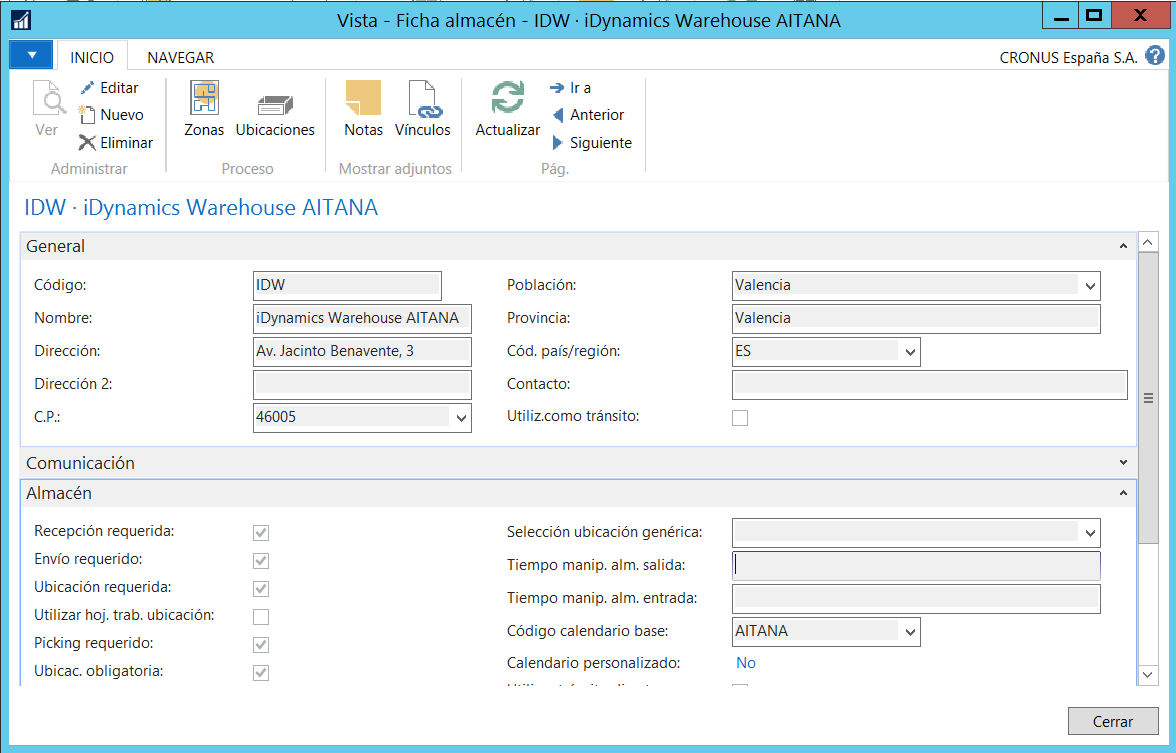
In the warehouse file there is an iDynamics section in which you can find defined the scope of our warehouse at the device level (basic warehouse or advanced warehouse):
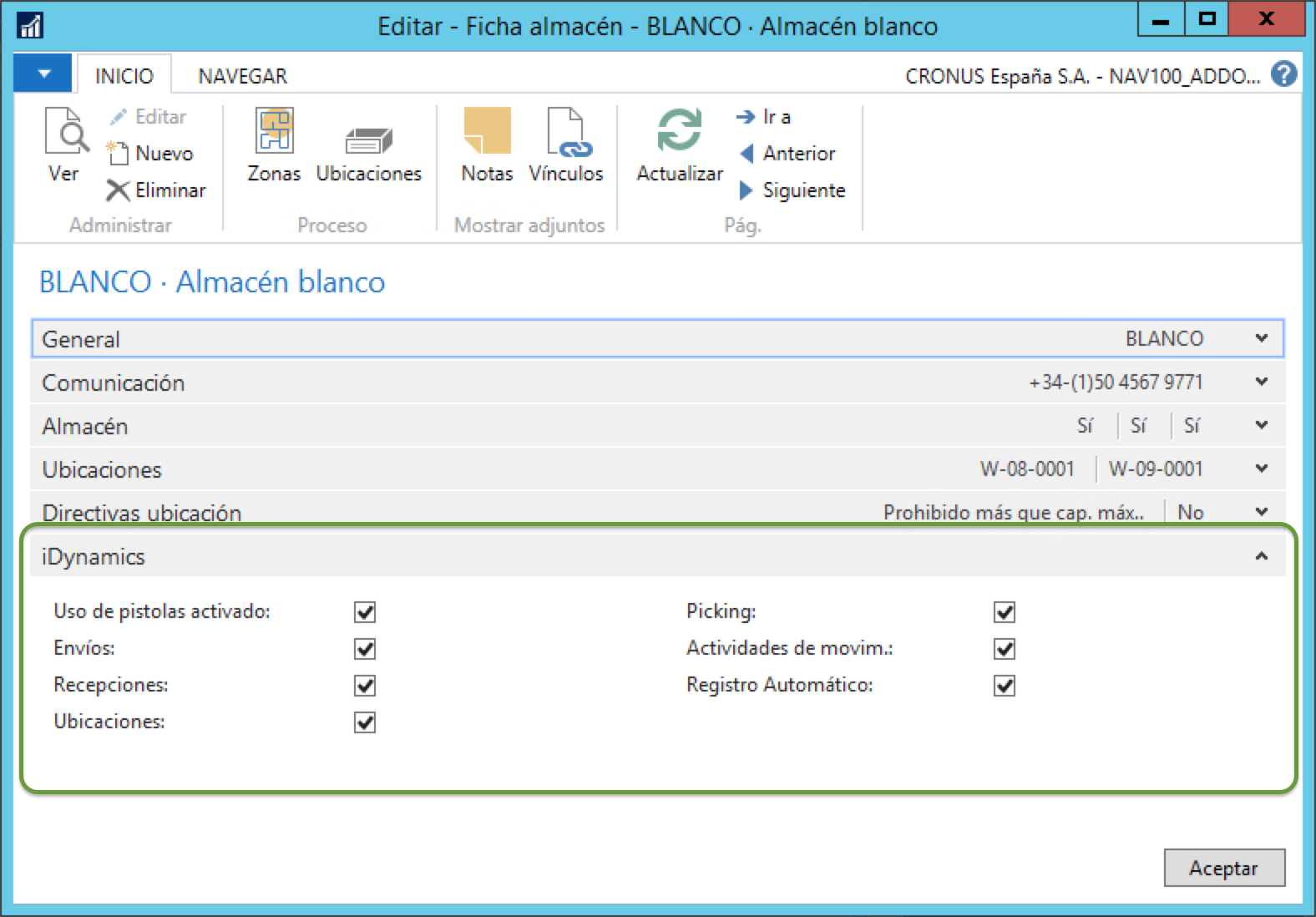
Barcode readers enabled: Enables the use of devices that are in the warehouse. If this option is not enabled, iDynamics Warehouse users will not have access to this warehouse.
Shipments: Aloows you to manage the Shipment documents from the storage devices. If it is not enabled, the menu option will not appear on the device, and such documnets will not be download to the device.
Receipts: Allows you to manage the reception documents from the storage devices.
Locations: Allows you to manage activity documents of type Location from the storage devices.
Picking: Allows you to manage activity documents of type Picking from the storage devices.
Activities of movim.: Allows you to manage the documents of activity of type Movement from the storage devices. Note: this option does not affect the execution of manual movements (through a journal), this option is independent and configured at the employee level.
Allow registration: If it is enabled, when a user presses the register action from the device, the corresponding action will be permormed of NAV, registering the document. In case this action is not enabled, the device action Register will just unassign the document, so that it disappears from the user's terminal. This action concerns the documents of activity (picking, location, movement), shipment and receipt.
Zones
The warehouse is divided into zones that meet certain requirements characteristics for certain warehouse tasks. They would be subdivisions of the warehouse into logical parts.
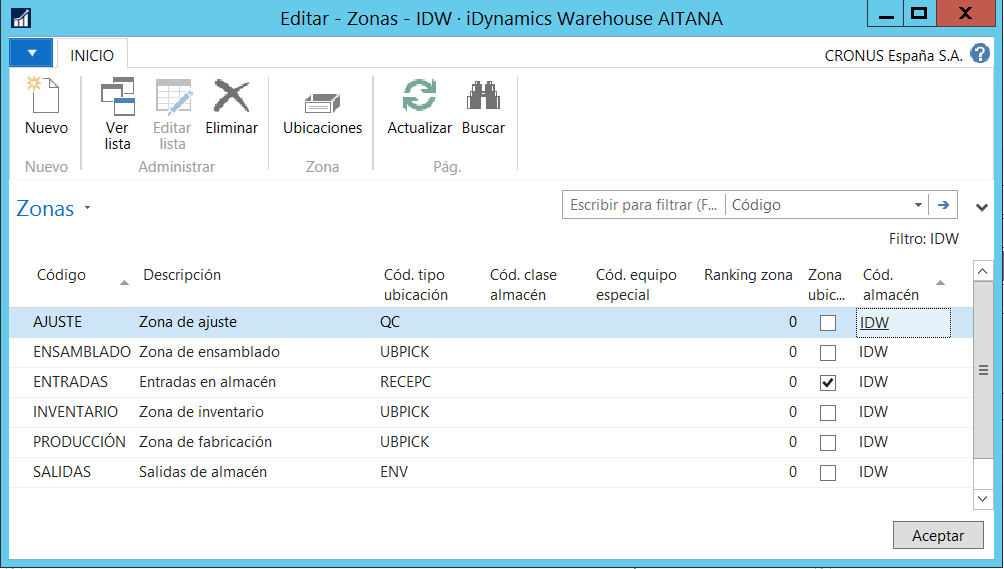
The values assigned to a zone are inherited by the locations created in that area, although they can be individually modified.
Location types
The location type configuration defines how the systema should use them and their purpose. I mean, with this setting it is indicated which actions are allowed and which ones are not in the corresponding location type.
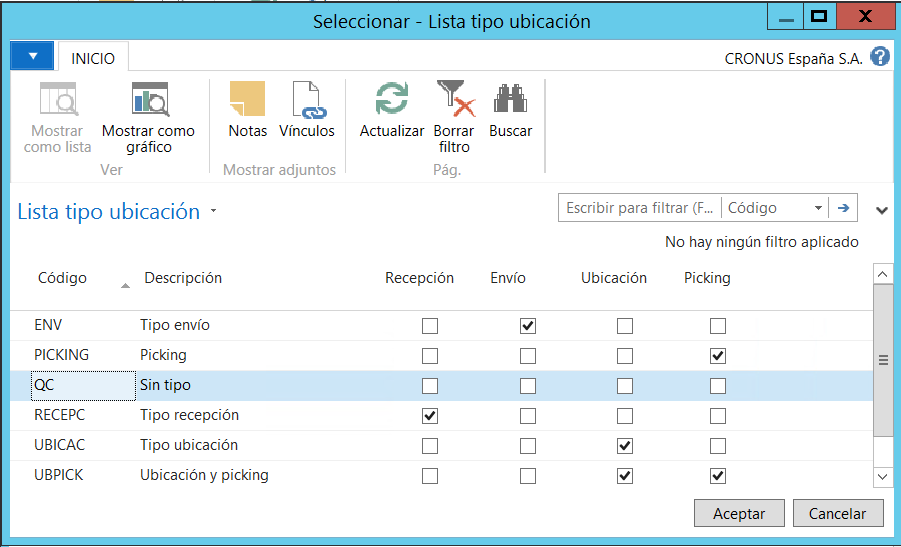
Depending on the elements enabled in the location type, the worker of a device will be limited in terms of available options in each one. For example, during a reception you will not be able to leave a product in a location that does not have a "Receipt" check, and during a picking you cannot pick units from a location that doesn't have the "Picking" option activated.
Locations
The location is the smallest unit in which you can place and register products. You can create bins manually, using the standard NAV process 'Worksheet paper - create - bin or using RapidStart by loading the data from an Excel template.
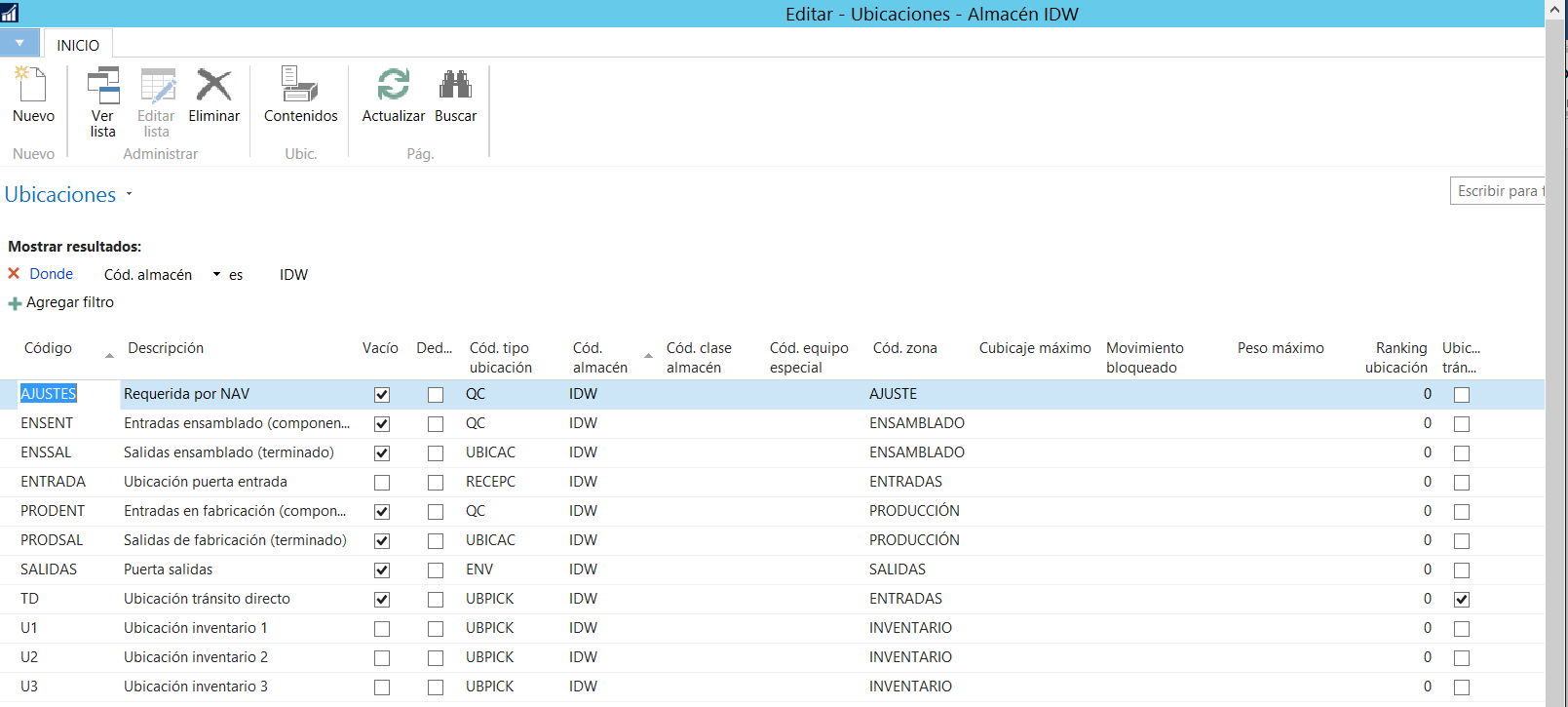
Characteristics:
Zone: the areo of the warehouse where the bin is located.
Type: the type, as it is defined in the previous point.
Locked movement: If this field is acivated, the system will not allow the recording of movements at this location. The lock could be made for all types of movements, for the incomings ones or fot the outgoing ones.
Special equipment: it indicates whether a tool or a special material is required or not for handling products at the bin.
Maximum storage capacity: Maximum capacity (by volume) of the bin. This field, together with the configuration of the equivalent units is decisive for assigning the bins.
Maximum weight: Maximum capacity (in weight) of the bin.
Empty: Indicates that no movement has been recorded of bin in this bin (no products have been left behind in it).
With the exception of the bin type, all other parameters do not have direct influence on the mobile application that will be used by the warehouse workers. However, and with the fact that iDynamics is implemented on the business logic of NAV, at the time of the attempting to register a document will be applied the validations relevant. This means that if you set up, for example, a maximum volume in a bin, iDynamics Warehouse will not validate it when a worker performs a bin operation in a bin; however, when the activity is recorded, it will be the ERP itself who will carry out this validation, informing conveniently to the worker.
Follow-up policies
A product traking code reflects the different considerations a company has regarding ths use of serial numbers and/or lot numbers for products that are moved in the inventory (this point is optional if the customer does not wish to carry out lot numbers or serial numbers).
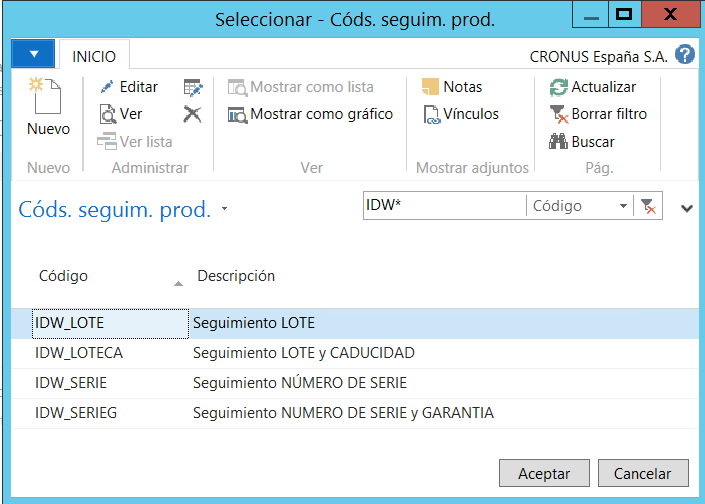
The assignment of tracking codes to NAV products will determine whether which is necessary or not to indicate the lot number or serial number when receipts, shipments, or movements are made, within the warehouse.

iDynamics Warehouse will follow the set up indicated in NAV, so there is no need to configure anything particular for thr use of lot numbers and serial numbers. The only thing to keep in mind is that in this particular case it will be necessary to use GS1-129 barcodes to provide information on these values at the time of reading.
If you are going to work with lot numbers, do not confuse GS1-128 (also known as EAN128) with CODE128. The second one is the way to encode the data in the barcode and the first one, implemented on CODE128, also indicates how to identify the different parts of the barcode (product, lot number, serial number, expiration date, etc.)
iDynamics and Warehouse will automatically detect and work with lot numbers and serial numbers of GS1-128 labels, but the use of non-standard CODE128 labels will require customizing the product to handle your data.
Warehouse workers
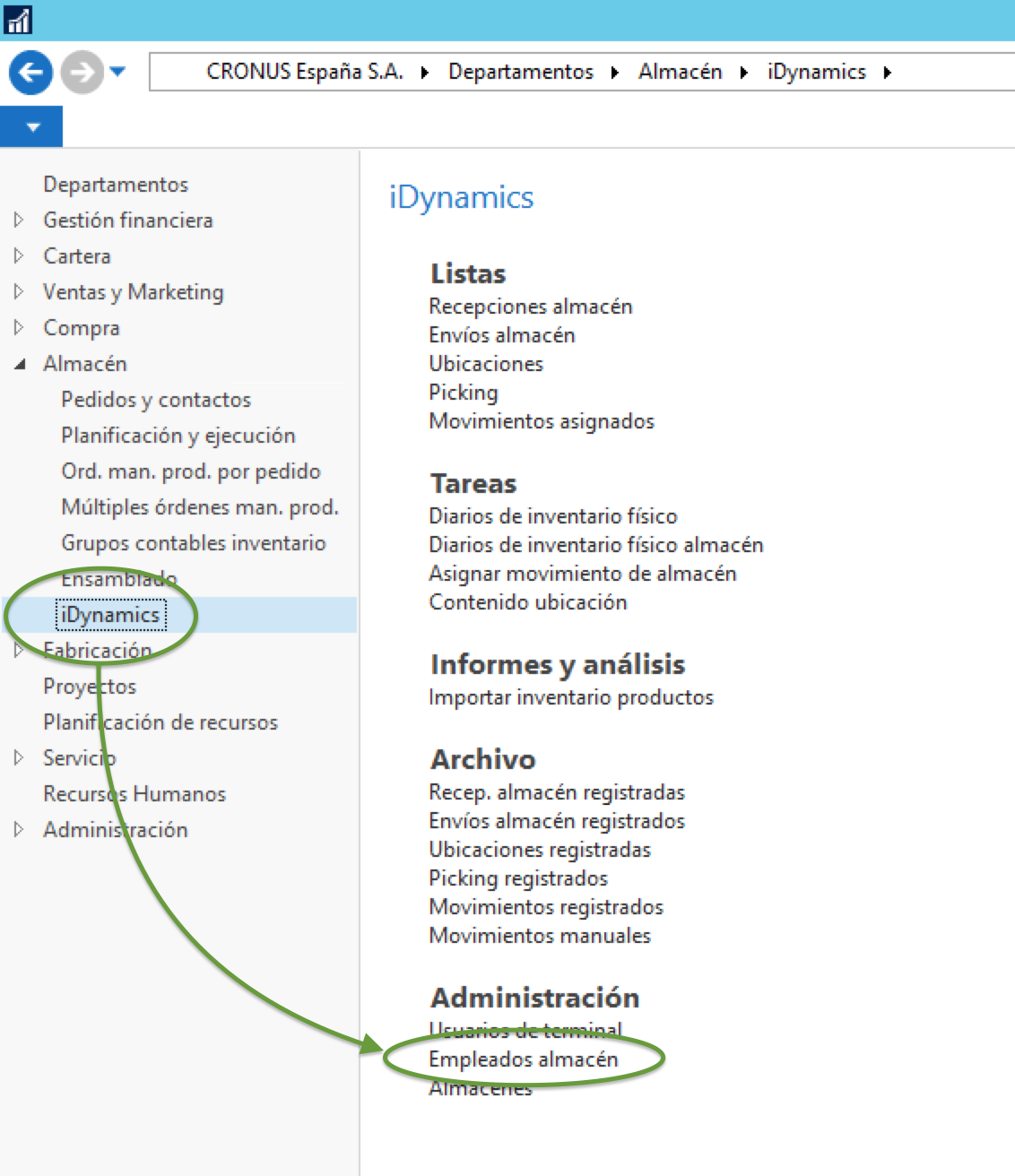
From the "Warehouse employees" set up tab, we must enable warehouse employees who can use devices, per warehouse. To do this, check the box "iDynamics User" within the profile.
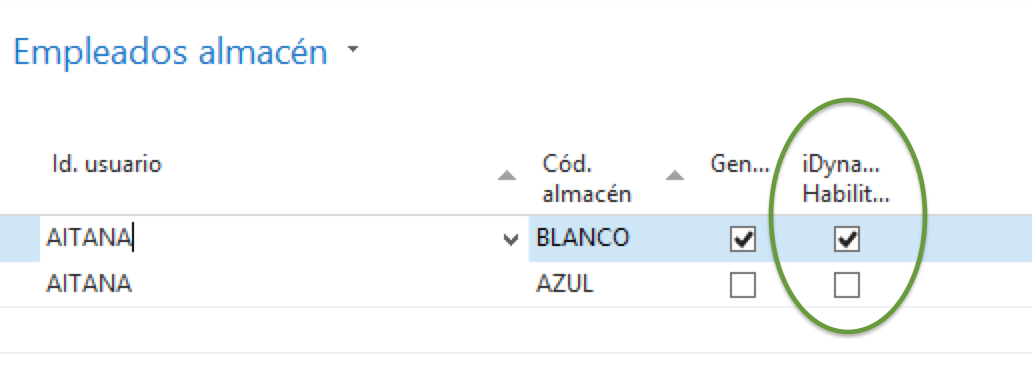
In addition to activating the fact that they will be users of iDynamics (and therefore can use the mobile application in the indicated bin), pressing on the "Set up of iDynamics" action, available on the top of the list, we can define which options will have the worker available to him when he uses the device in the selected bin.
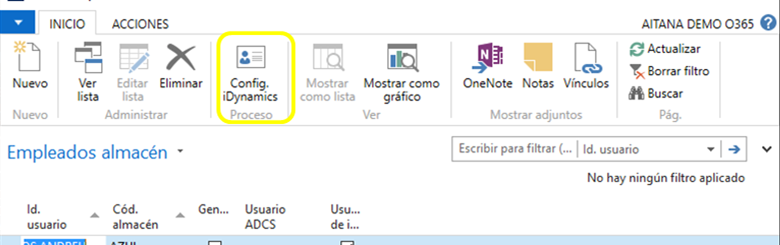
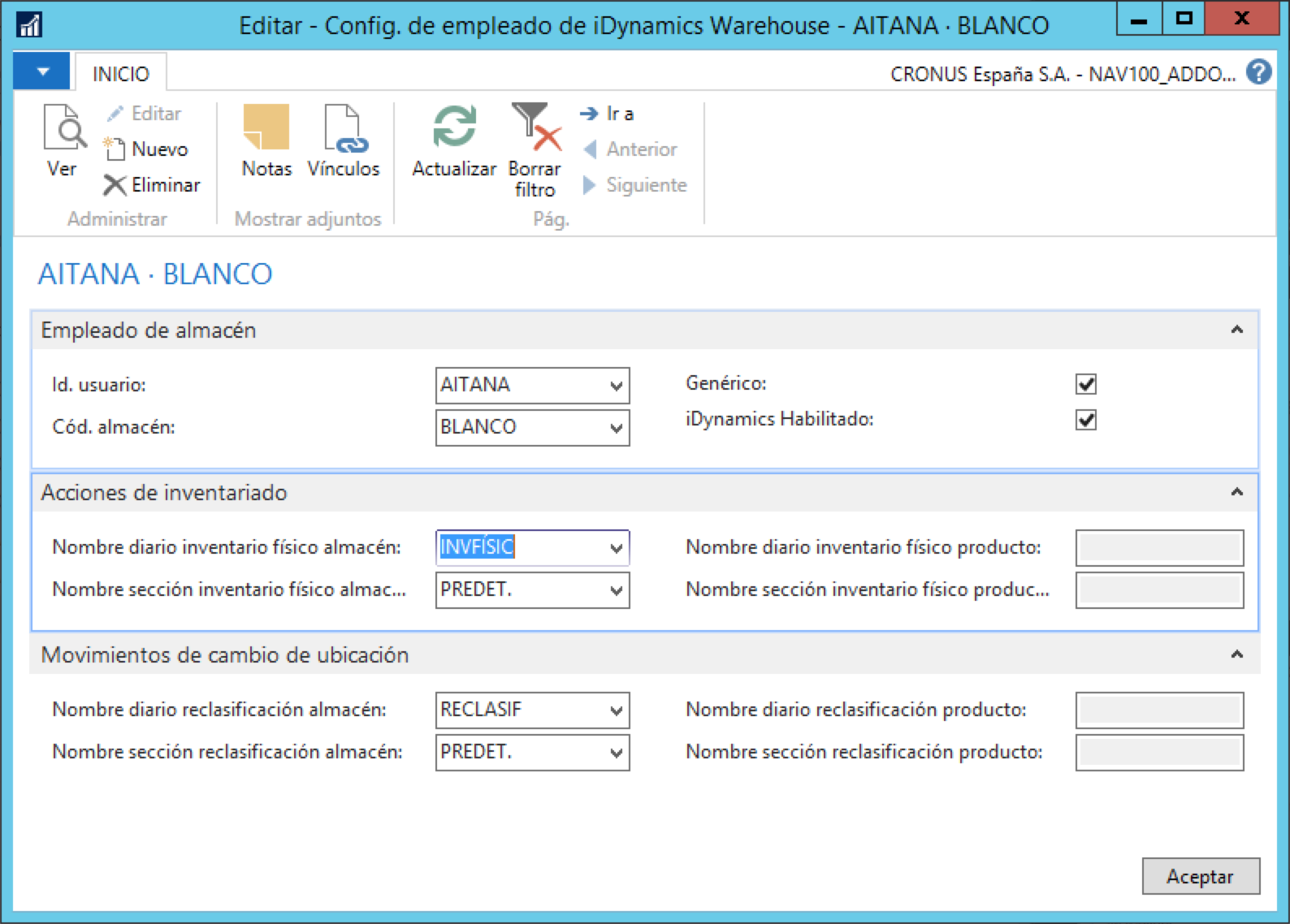
The availale options, particular to iDynamics Warehouse, are the following:
- iDynamics enabled: allows you to work or not with this warehouse from the mobile device.
The inventory actions affect the counting screen of the application inventory:
- Name of journal/section: these fields indicate which section of physical inventory is assigned to the worker. From it will be obtained the products to be inventoried and in it will be stored the read quantities before their registration. There are two pairs of fields, being available depending on whether we are working with "advanced warehouse" or not.
The Bin change movements fields allow you to indicate what journal/section will be used to record the manual bin change of a product. As well as the inventory fields, there are available two field pairs, which will be active depending on whether or not we work with advanced warehouse or not.
Terminal users
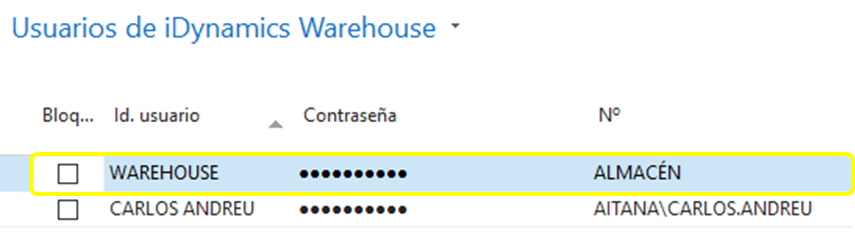
This table is used to manage the access credentials of the devices, enabling a warehouse worker not to have direct access to the ERP.
We will determine the "Id. user" and the "password", which will be the access credentials from the device, and then we will link this user to a NAV user who has records in the warehouse clerk table. If the user has set up several locations, the worker can switch between them from the device in order to work on the one that correspondonds at any given time.