Test Commission Rates
Description
After configuring commission rates, especially for the first time, a sales line may not generate the expected commissions. To help you understand why, the app includes an option to test the commission rates that apply to any non-posted sales document.
Test Commissions
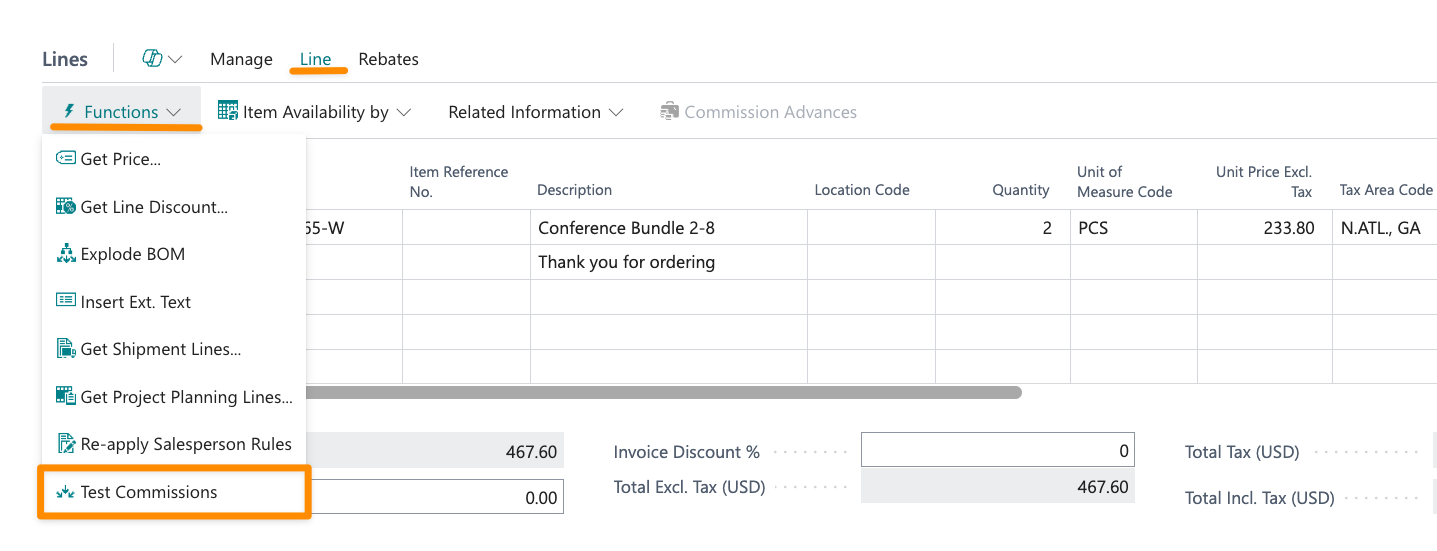
The option to test commissions can be found in the action bar of the sales lines, under the Line > Functions menu.
When you run the action, the app checks all commission rates against the selected line and displays a list showing which commissions applied and the reasons why others did not.
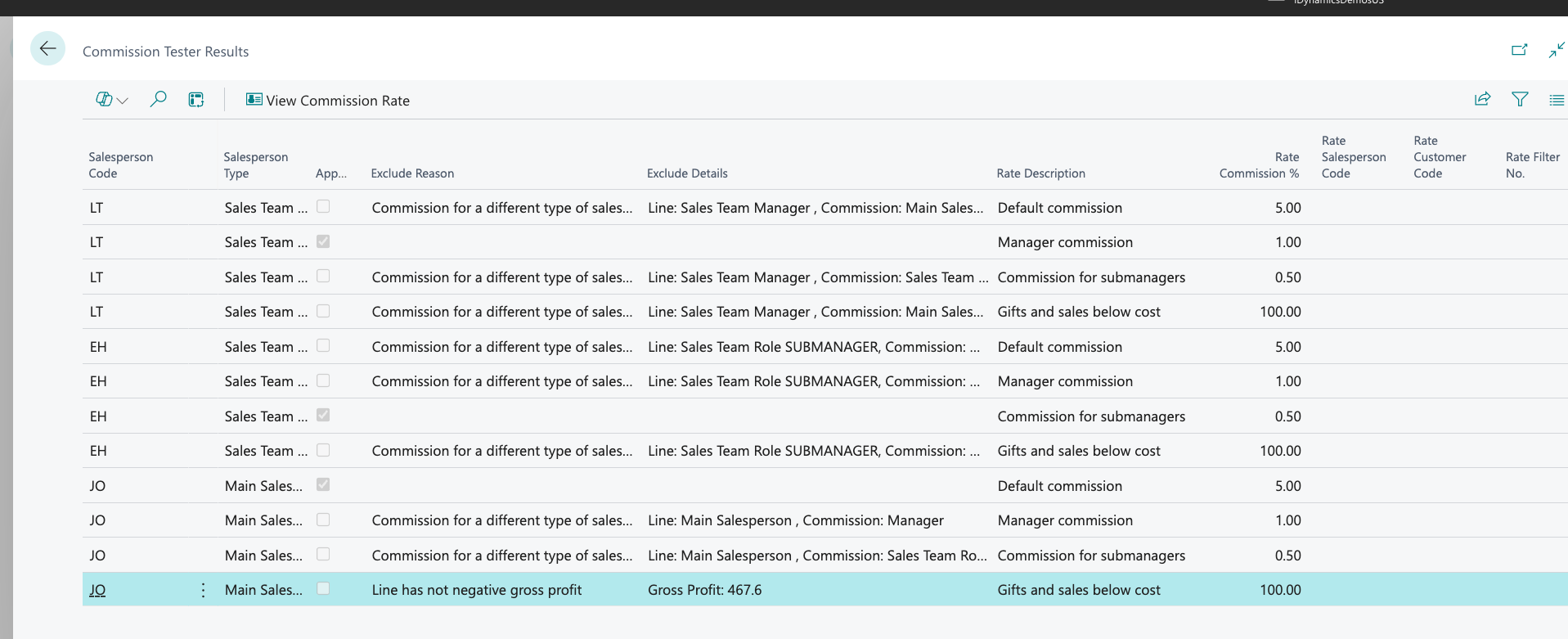
More than one rate might apply if multiple salespeople are assigned to the line, either directly or as members of a sales team. The first column of the list shows the salesperson for which commissions have been tested.
Update Generated Commissions
If you discover that commission rates were incorrectly configured after sales documents have been posted, you can run the Update Commission/Stats process to regenerate commissions once the rates have been corrected.