Commission Forecast
When the iDynamics Commissions 365 Sales solution is installed in a Dynamics 365 Sales environment, it is added as an available app for use within the environment.
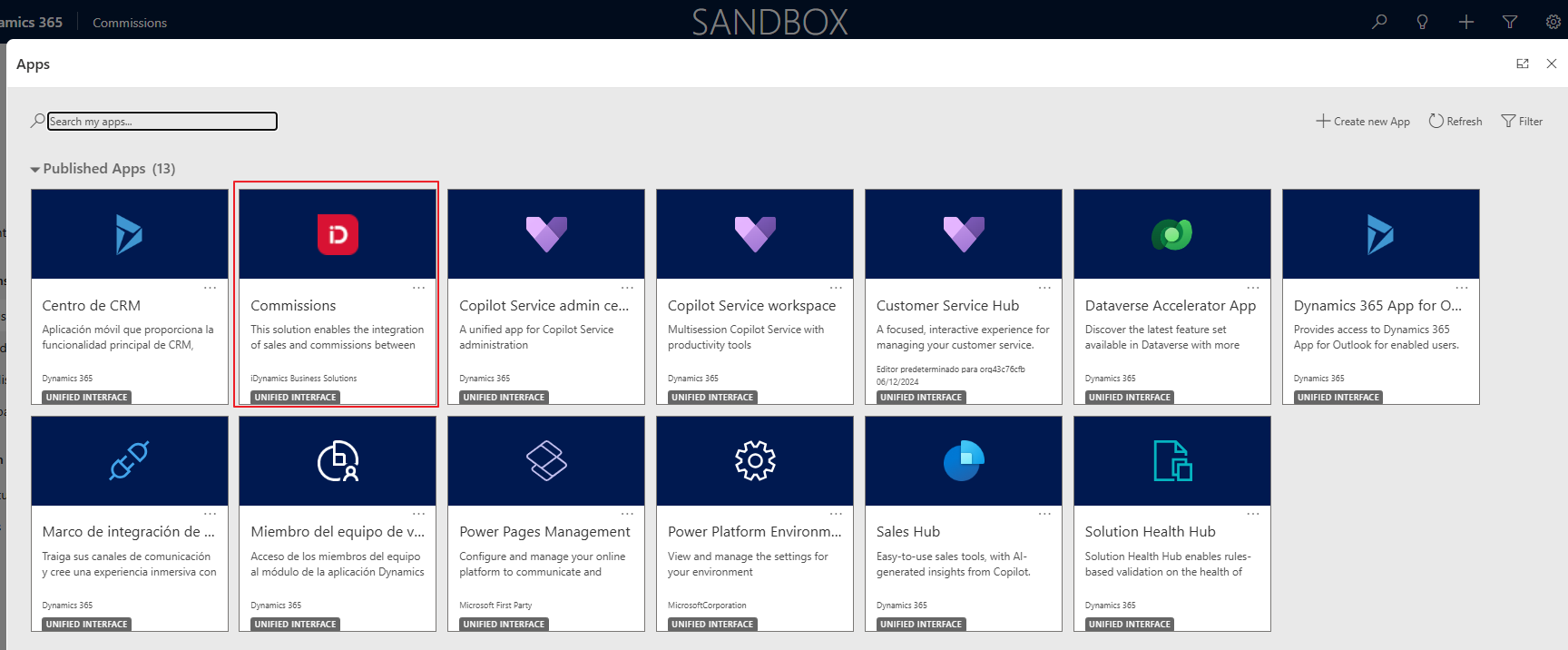
You need to open this app to view and analyze the commissions and sales information within Dynamics 365 Sales.
When you do, the main menu of the application is displayed, consisting mainly of two blocks.
- Commissions and Sales.
- Commission Forecast.
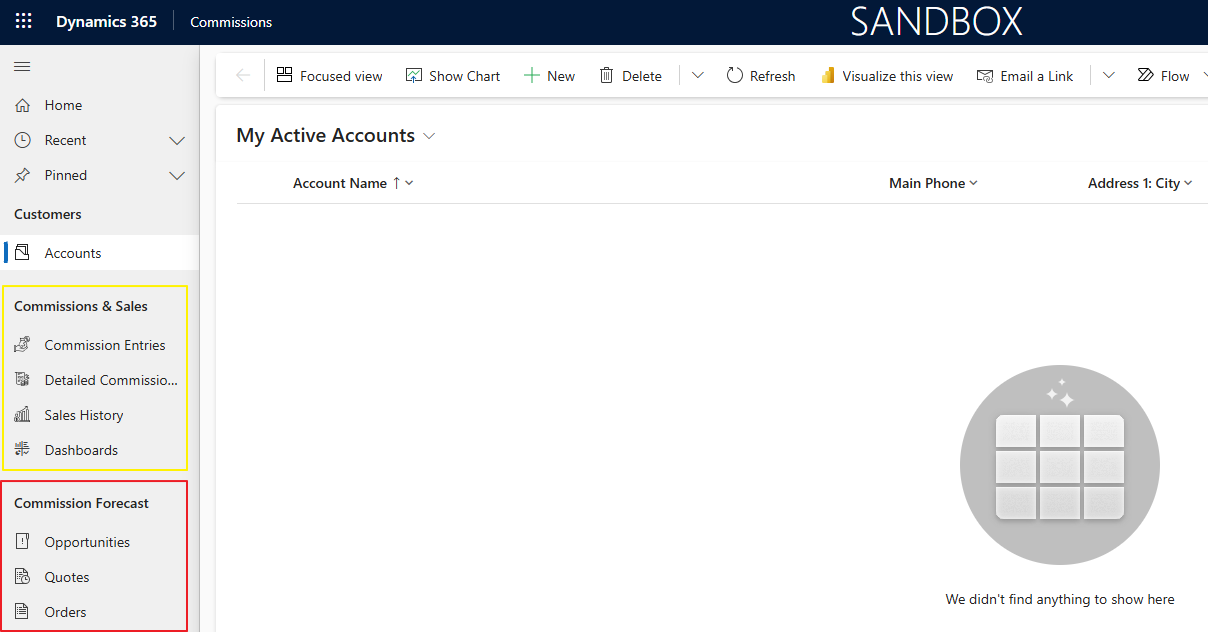
In this section we focus on the commission forecast submenu and explain how salespeople will be able to see a forecast of the commissions they could earn if their sales opportunities materialize.
In the Commission Forecast submenu, the standard Dynamics 365 Sales views for opportunities, quotes and sales orders are shown, because these are the three entities from which a salesperson can see a forecast of the commissions they would earn if the sale materializes.
We will explain this for sales opportunities, but it works exactly the same for quotes and sales orders.
Opportunities
When opening an opportunity from any of the standard Dynamics 365 Sales views using the Commissions app, it opens with its own form where, in addition to the information shown by the standard form, a new Expected Commissions section is added along with an action to calculate them: Check Commissions.
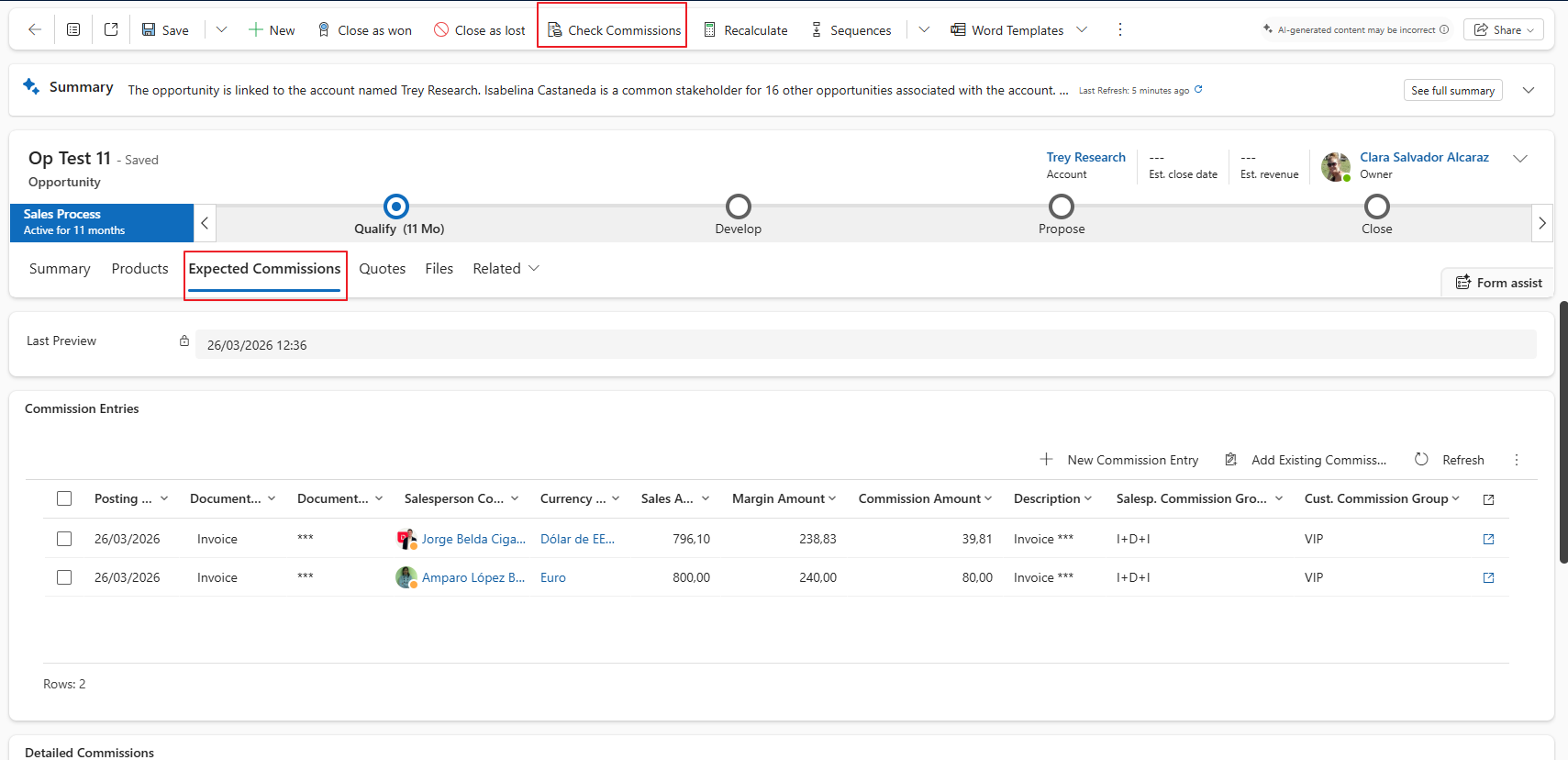
Once all the opportunity data has been entered — most importantly, at least one product must be included — you can click the Check Commissions action to get a forecast of the commissions the salesperson of the opportunity would earn if it were to be closed.
The following considerations should be kept in mind.
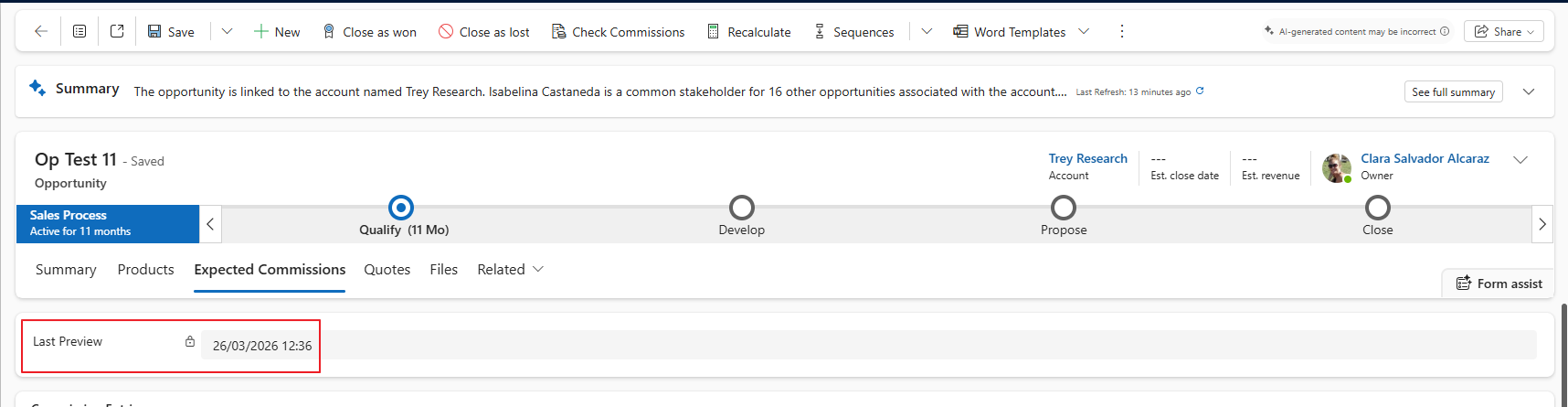
If the opportunity remains open for some time, the commissions could change, since different commission rates might apply depending on the dates, or none might apply at all, etc. That is why the date of the last commission forecast made for the opportunity is shown, as it is a relevant piece of information to take into account. To make sure the forecast is as accurate as possible, it is recommended to click the action to check the possible commissions that could be generated if the sale goes through whenever considered necessary, so that this forecast is as up to date as possible.
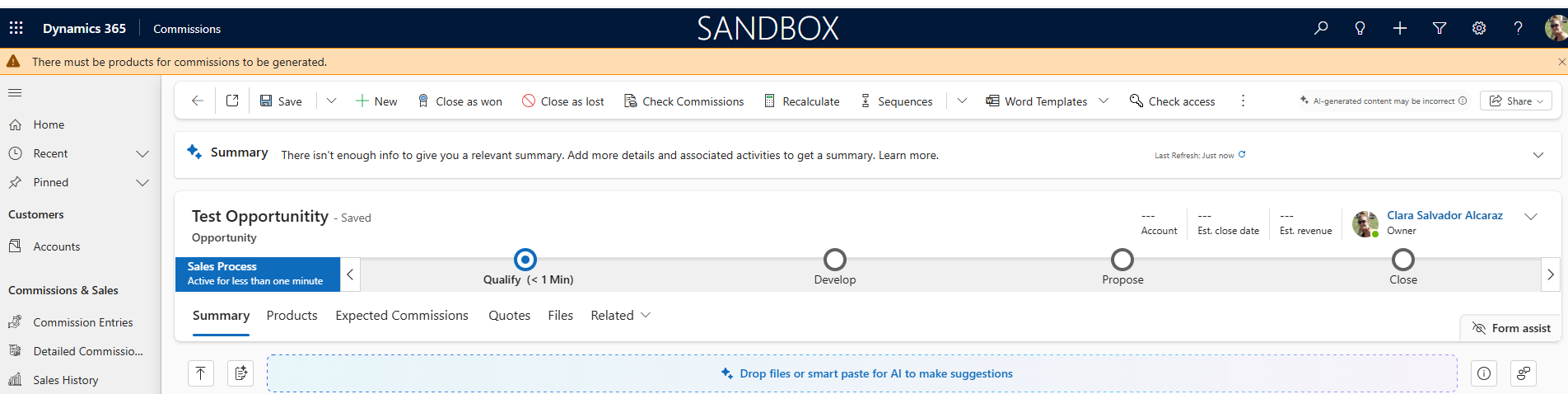
If any data required to calculate the commission forecast has not been entered, a notification will appear at the top indicating this.
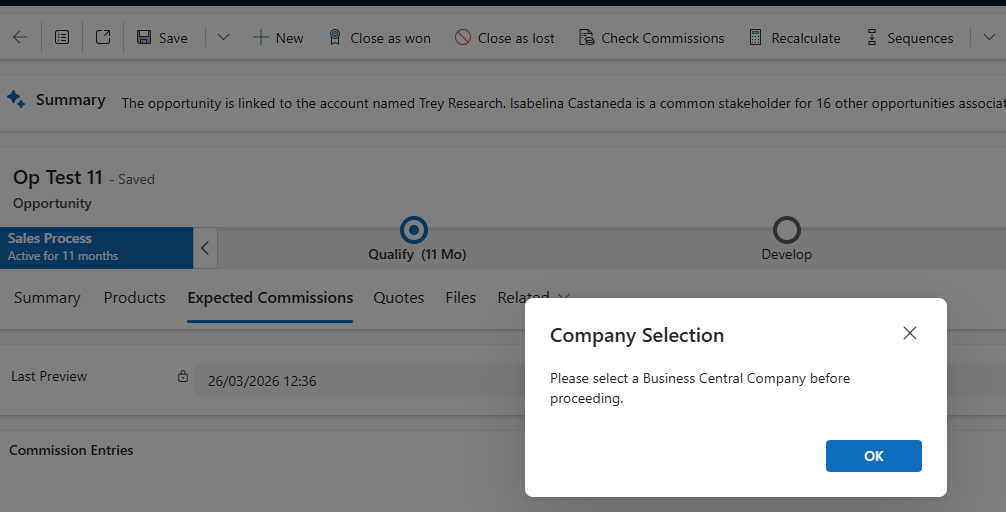
If there is more than one Business Central company synchronized with the Dynamics 365 Sales environment, the first thing asked will be for which Business Central company this commission forecast should be calculated, since in Business Central, commission generation is done per company. If there is only one company, it will be filled in automatically without any user intervention.
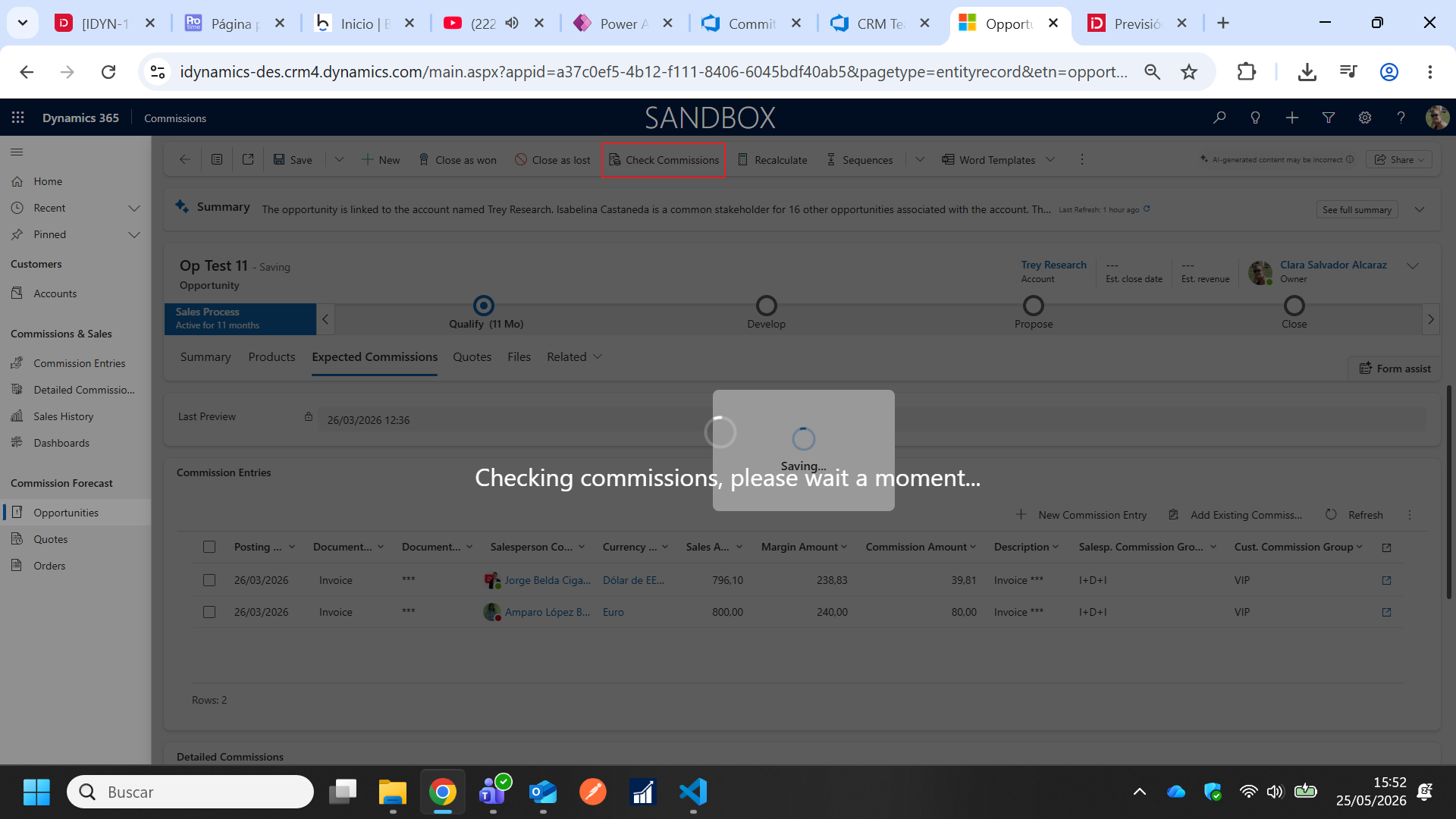
If all required data validations are passed, the Check Commissions action calls the Business Central web service which calculates and returns to Dynamics 365 Sales the commission forecast for the opportunity based on the configuration there: automatic salesperson assignment for the sale according to configuration, sales territory, salesperson rules, shipping address, according to the configured commission rates, sales teams, possible additional salespeople, etc. This means a commission forecast could be generated not only for the opportunity's salesperson, but also for the sales team manager they belong to if a rate applies to them and is so configured, or for an additional salesperson. It is even possible that no commission forecast is generated for the opportunity's salesperson if, for example, the user entering the opportunity in Dynamics 365 Sales is an administrative user who creates them, but their user corresponds to a Business Central salesperson for whom no commissions are generated. The important thing is that this forecast works in the same way that the iDynamics Commissions app previews commissions for unposted sales documents.
- The commission forecast is calculated based on the configuration existing in Business Central, regardless of the user who enters the opportunity and the user who clicks the Check Commissions action.
- The same security applies to this commission forecast as to actual commissions, so salespeople with the Commissions Salesperson role will only see their commissions and not those of other applicable salespeople, while users with the Commissions Sales Manager role will be able to see all of them.
- This commission forecast generates records in the Commission Entry and Detailed Commission Entry tables with the Temporary field checked, to make it clear that these are not actual commissions but a forecast. It also fills in the opportunity (quote or order) for which this commission forecast has been calculated.
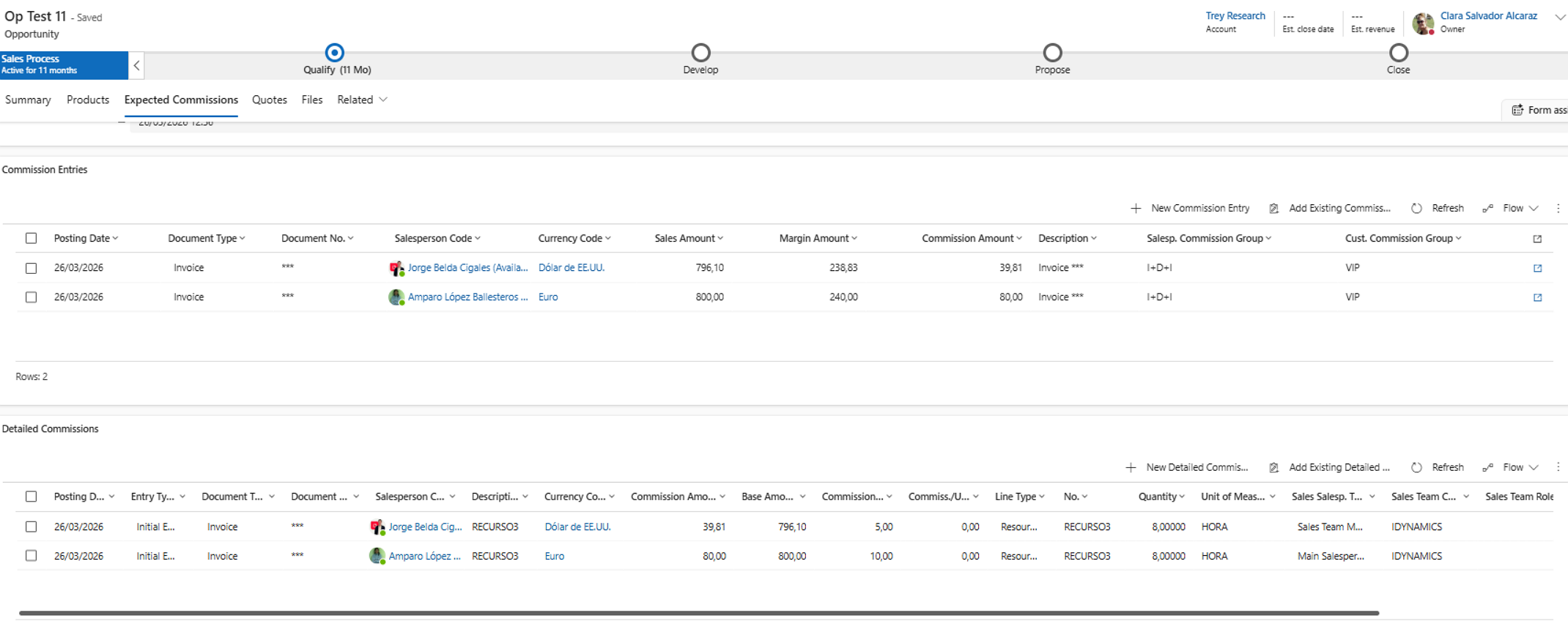
Once the calculation process is complete, in the Expected Commissions section, the date of the last forecast is updated and you can see (each user the ones they are entitled to according to security) the commission forecast and its detail, to understand why those amounts were calculated (in the detail you can see the commission percentage applied to each salesperson on the basis of the sales amount of each line or item of the opportunity).
Quotes
Works the same as described for opportunities but within the quote form.
Sales Orders
Works the same as described for opportunities but within the sales order form.